


Not always being online, I love to use software that allows you to compose blog posts offline. My current favorite is BlogJet, but it’s not cheap and it often throws up error messages. I keep a list of those that are worth looking at (and more suggestions are always welcome.) This post is being written with a new one I’ve not come across before: SharpMT produced by Randy L. Santi. So far it looks pretty good, though it only works with Movable Type-based blogs, and it doesn’t have the WYSIWYG feel of BlogJet. Still, it’s great to see more contenders out in the field. I’d love to see the ability to add technorati tags a la Flock but perhaps that’s in the works.
Plaxo Drops the “Hi, I’m updating my address book” Email
Plaxo is dropping the “Hi, I’m updating my address book. Please take a moment to update your latest contact information…” email which has, over the past three years, raised more than a few hackles. (What is a hackle? And can they ever be in any other state than raised?) Anyway, people (including myself) have objected to the rather cavalier way that Plaxo software would send these update requests out to people. Writes Tom, one of the founders, on the Plaxo blog:
Obviously, a lot of people loved this feature, but some people did not. Journalists, A-list bloggers, and anyone else who is known by more people than they know were inundated with requests. We quickly responded by adding opt-out and throttling features, but we’ve always known that the update requests were a means to an end — our goal has always been to get as many members as possible so that these e-mails were unnecessary. And it looks like we’re finally getting to that end.
Plaxo now say that’s not going to happen anymore, because there’s no need:
As of last week, we’ve past 10 million members. We are now growing at over 50,000 users a day. Due to this great growth, the depth of our network, plus our heartfelt desire to be good net citizens, we have started phasing out update requests.
This feature will probably always exist in some form, but we are no longer aggressively pushing new users to send out e-mails and are adding restrictions to prevent existing users from sending out large batches. Within the next six months (allowing for releases and upgrades to our base), you should see these messages drop to a trickle.
This is good news. I wonder, though, about the 10 million members thing. After resuming my Plaxo account the other day I got the distinct impression that a) there were quite a few new members from among my contacts on Plaxo but not a massive amount and that b) a lot of those members were not actively updating their contacts. Indeed, it’s not clear to me how one can tell whether an account is dormant, and if so, whether the information that is being updated to your contact list is current or not. (I guess in some ways this may actually reduce the effectiveness of Plaxo, in that your updated contact details for a person may be overwritten by those in a long dormant Plaxo account.) (I just asked Stacy Martin, Plaxo’s longsuffering and patient privacy officer, and he suggests users who no longer update their Plaxo account delete by going here. )
Anymore, I don’t want to be churlish. It’s good news that Plaxo is phasing out those emails. I can understand their predicament; the product’s usefulness grows the larger the more people use it, so the emails were an important part of spreading the word. Trouble was, some folk found it irritating. Hackle-raising irritating.
How to Split Your Screen Down the Middle
Here’s something for the directory of monitor extenders — stuff that increases the size, scope or general bendiness of your screen — SplitView , from the guys who brought you DiskView:
SplitView increases productivity by making it easy to work with two applications side by side. It helps make full use of your high resolution monitor and gives the benefit of dual-monitors without their associated cost.
Given it costs $19, that statement is indeed true. The problem is simple. Having two monitors is great — if you haven’t done it yet, you haven’t lived — but it’s also neat because you can pretty much keep them separate, a bit like having two desks to play with. That’s because Windows treats the two screens as one for some functions – moving windows and whatnot — but as two for functions like maximising programs etc. Very useful if you’re moving between two documents, or dragging and dropping text using the mouse.
But what happens if you have one supersized monitor, with high resolution? You have all that real estate, but not the same duality, if you get my drift. This is where SplitView jumps in. A small program that incorporates itself into the pull-down resize menu on the left-hand top corner (right clicking on its icon in the toolbar at the bottom of the screen has the same effect), SplitView lets you make the program take up half the screen on either the left or right in one move (or via keyboard shortcuts). So now you have two monitors in one:
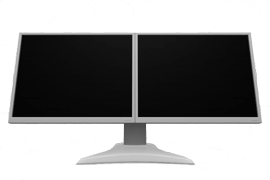
I can imagine this would also be useful for those of us used to dual monitors but forced into single screendom when on the road. Now your laptop can be split in two, making it easy to drag and drop and stuff. Its author, Rohan, says he wrote it “as a ‘me-ware’ – something i needed myself, and then productized it.” Good productizing, Rohan.
Catching the Spark
This is the week of hobbyhorses. I love sparklines though I’ve been very lazy in actually trying to make more use of them. Sparklines are simple little graphs that can pepper text to illustrate data. I went through a phase of using them a year ago on media coverage of technical stuff, the excessive online habits of Hong Kongers and a rather lame illustration (my first effort) at the rise and fall of Internet cliches.
Anyway, interest seems to be returning for sparklines. Here’s a good piece on Corante on Sparklines: Merging visual data with text about a new utility that lets you create sparklines for your web page or blog:
Joe Gregorio took the idea and ran with it. He created a web-based utility that lets you input a series of comma-separated values from 1 to 100 in order to generate a sparkline you can add to any online text. To give it a shot, I entered the numbers of repeat visitors to this blog beginning on Monday, March 13 and ending yesterday, March 19.
Mapping Your Tiddly Thoughts
I’m a big fan of TiddlyWiki, the personal wiki that runs in one file in your browser, and I’m very impressed by all the plug-ins and tweaks that the program’s users are introducing. (I wrote about TiddlyWiki last year in a WSJ.com column — subscription only, sorry — but have also included some notes for the piece here in the blog, including on this page (scroll down).
Anyway, TiddlyWiki is a free form database, not unlike an outliner, but with lots of cool elements that make it much more. (Yes, tags, too.) Think of lots of individual notes that you make in your browser, which you can find via ordinary search or by tags you give to each note; you can also view a list of notes chronologically — i.e. in the order you created them — etc etc.
But if you’re a fan of mindmaps, or PersonalBrain, where your information can also be viewed graphically, you might feel a tad constrained. Not for much longer, if a Java programmer and writer called Dawn Ahukanna has her way. She’s just released a “hypergraph plug-in” which creates what she calls navigation graphs (I’d call them mindmaps but that’s me). As she says, “I’ve had quite a few revelations with it already, using it to map my existing TiddlyWikis.”

It’s an early prototype and not as pretty as it could be, but this kind of thing is in my mind the thin wedge of a revolution largely ignored by the “social” Web 2.0. Tools like TiddlyWiki, though presently a little rough around the edges and geeky, mark a very useful exploration of different interfaces for personal, portable data.
While I think of it, another interesting new TiddlyWiki modification is the MonkeyGTD (Getting Things Done, to the few people who haven’t been sucked in by the David Allen book and self-organizing philosophy), which tweaks the TiddlyWiki interface into little blocks.